



Enso Markets

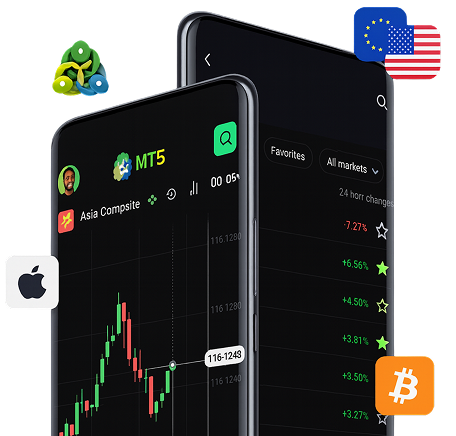
MetaTrader 5 (MT5)

Automate your trading with advanced indicators, Expert Advisors and pattern-recognition software, supported by Pepperstone’s fast execution and razor-sharp FX spreads.

Why choose MT5?

Smart Trader tools

Make better trading decisions, manage risk, and automate your strategies to save valuable trading time.

Customisations

Create a bespoke trading environment by combining indicators and scripts, and develop your own with MQL4.

Built-in indicators

Upgrade your analysis with dozens of pre-installed indicators, and thousands more free, custom indicators.

Small minimum trade sizes

Trade from 0.01 lots, giving you greater control over your risk when trading in high volumes.

Why Trade with Enso Markets

Transparent Pricing

Trade with full clarity — no hidden fees or surprises, just honest pricing across all markets.

Secure Platform

Your data and trades are protected with advanced encryption and safety measures.

1500+ Instruments

Access a wide range of markets including Forex, Indices, Crypto, and more.

Fast Execution

Place trades instantly with low latency and reliable performance.

24/5 Support

Get professional assistance whenever you need it throughout the trading week.

Analytical Tools

Use modern charting and analytical features to refine your trading strategy.

OUR PROCESS

OUR PROCESS

Sign Up

Trade global currencies with real-time insights and tight spreads.

KYC

Trade global currencies with real-time insights and tight spreads.

Add Funds

Trade global currencies with real-time insights and tight spreads.

Trade

Trade global currencies with real-time insights and tight spreads.

Download MT5 for Your Preferred Device

Nothing prevents our being able to do what we like best every pleasure is to be welcomed.

Frequently Asked Questions

Everything you need to know about the platform, pricing,and more.

What trading platforms do you support? +

We support MetaTrader 5 (MT5) as our primary retail trading platform, plus connectivity via FIX API for institutional clients requiring direct market access and custom integrations.

Which devices can I use to access MT5? +

MT5 is available for Windows and Mac desktop, web browsers (MT5 Web), and mobile apps for iOS and Android — so you can trade on desktop, tablet, or smartphone with full account synchronization.

What are Expert Advisors (EAs) and can I use them? +

Expert Advisors (EAs) are automated trading programs that run on MT5. You can use pre-built EAs, download community scripts, or develop your own automated strategies using MQL5 (and MQL4 if you use MT4).

Are there built-in indicators and can I add custom ones? +

MT5 includes dozens of built-in technical indicators and charting tools. You can also install thousands of free and paid custom indicators or create your own using the MQL programming language.

Do you offer demo accounts for the platform? +

Yes — demo accounts mirror the live trading environment so you can test strategies, try indicators and EAs, and familiarise yourself with MT5 and our pricing before trading with real funds.

What is the minimum trade size on your platform? +

We support small trade sizes to help manage risk — typically from 0.01 lots for many instruments. Exact minimums can vary by instrument and account type; check the contract specifications in your trading terminal.

How does FIX API differ from MT5 and who should use it? +

FIX API is a low-latency, programmatic interface intended for institutional traders and algorithmic systems needing direct order routing, advanced execution control, and high-frequency trading capabilities. MT5 is a full-featured GUI platform for retail traders.

Are there any platform fees or hidden charges? +

Enso Markets keeps platform access free for clients. Fees may apply as spreads, commissions, or overnight financing depending on your account type and instruments traded. Refer to our pricing page for full details.

How do I install and update MT5? +

Download the MT5 installer from our platform download section, run the installer for your device, and follow the prompts. MT5 notifies you when updates are available — we recommend keeping the terminal up to date for best stability and security.

What security measures protect my trading account and data? +

We use industry-standard encryption for data transmission and secure server infrastructure. Additional protections include two-factor authentication (2FA), segregated client funds, and strict access controls. Always follow best practices like using strong passwords and enabling 2FA.

I’m having technical issues — where can I get help? +

If you experience platform issues (installation, login, order execution), contact our support team via support@ensomarket.com or the live chat/phone provided on the site. For FIX API or institutional support, reach out to your account manager for priority assistance.

Can I use third-party plugins and data feeds? +

Yes — MT5 supports many third-party plugins, indicators and data services. Ensure any third-party software is from a trusted source and compatible with MT5. For institutional data integrations, consult our technical team for compatibility checks.

Scroll to Top